
homeHome security should be at the top of this list of priorities for anyone who cares about their loved ones’ safety. If any activity or movement is detected, it will send an alert directly to your cell phone using secure devices at home. It can be particularly problematic once you are on vacation since you are always worried about what might happen in your absence. It can be a complete security system for your property. It is connected to high definition video and audio. This system allows you to see the person who calls the bell and talk from your smartphone.

Motion Detectors Activation

The gadget also has motion detectors that activate the cell phone alarm and record the video that can be received from the cell phone. You must pay the same attention inside and outside your home. The device is tough to detect, as it is supposed to look like ordinary household appliances, such as light bulbs and plugs. Motion detection and motion detection recording are some of the features that make this home security system a device of choice for most homes. The moment you wake up, you can watch a live video directly on your phone and ask for help in the program.

Camera Custom Alarm

wallIt is where hidden cameras come into play. The camera provides custom alarms on the phone, and all files go inside the house. Choose an outside camera that can monitor your substance, whether it’s sunlight or rain. Make sure it can withstand all weather conditions if you want 24/7 security. Get a camera connected to the power supply so that it won’t get a low battery. Just make sure they are strategically placed and well hidden so you can shoot adequately and avoid being caught by flies.

Smart Lock Protection

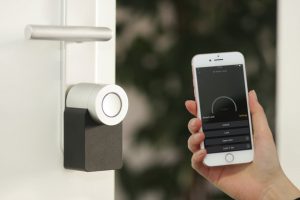
This device’s technology uses a split-spectrum sensor, and an enhanced blue LED to monitor the ambient air. You can block the alarm on your cell phone. To improve your home’s protection, you should consider upgrading your traditional locks with modern high-tech locks. You will find locks that work with Bluetooth mobile devices such as the iPhone in today’s market.

Smart locks are equipped with an easy-to-use touch screen and require you to enter a code instead of the key to open them. Other people open and close the door when they discover your microphone, so you want to set them accordingly. The main advantage is that you don’t have to worry about losing your keys and being locked out simultaneously. However, make sure you enter the code correctly, so you don’t get locked out.

Home Security Appliances

Please think of the time you lose looking for them in the most unusual places in your home. Even if this device is not part of home security appliances, it will make your life easier and reduce the chance that your keys will fall into the wrong hands, and you may return home illegally. When a tiling device is placed on a product, it is easy to find it by sound or a falling signal. You will find an alarm if it has already been detected.

Window Alarm Sensors

You can have all the security programs on the market, but if your windows and glass are not well fixed, your home will likely continue to be broken into while you are away. Make sure you have door and window sensors and severe locking systems to increase the protection of your home. For example, you can choose a sticker that gives the impression that a security company watches your home to keep out thieves.

Door Security Lock
smart lockDoor security bars can be attached to almost any type of door, especially to the exterior and interior doors. Clamps are available in many different models, from those that hold the door opening on the floor and extend to a hook just below the door handle to portable ones that still function as sturdy door clamps. Light sensors are simple electronic devices that detect infrared electricity and detect body temperature and a slight increase in such a situation. Consider buying a smoke detector that can detect if a fire has broken out in your home. It also detects a flow of carbon monoxide and sends an alarm to a smartphone so you can locate the flow or even the fire.


Related Post

system

Advantages of a POS SystemAdvantages of a POS System

A POS system is an easy-to-use and efficient option for processing transactions in a store or restaurant. They can generate sales reports and manage inventory, which makes running a business much more accessible. Here are some POS guide that can help you in your business.

Greater Efficiency

One practical benefit is the ability to make life easier for your employees. For example, you no longer have to enter a lot of clues into a traditional cash register. With less information to remember, the error rate in transaction processing is undoubtedly much lower than manual transaction data entry. Another positive aspect is the speed with which these systems can increase sales.

Inventory Management

inventory

The traditional method of tracking inventory is to check the number of goods in the warehouse. However, this is guaranteed to be a time-consuming and tedious effort, especially for large companies. A more reasonable option is the POS system, which can keep a digital database of inventory on hand. This makes it easy to check stock numbers at a glance.

Accurate Reporting

Many of the latest POS applications can generate a wide range of customizable reports. Reports can include useful information, such as daily expenses and revenue, that can keep the business owner up to date on overall success. Most high-tech approaches are made to calculate seasonal fluctuations and revenue trends to know what goods have been sold in demand. This is a useful index for business owners to buy the best inventory and increase capacity to make the most potential revenue. Additionally, the historical data created can help highlight waste or overspending areas manipulated in the long run.

Employee Tracking

track

POS systems often include a unique employee code that helps track each employee’s activity. This tracking capability can also come into play when multiple employees use the same vending machine. Being able to track employee behavior can help give you insight into employees with weak or strong sales. Also, there is much less chance of employees stealing when all trades are tracked.

fortnite

Technological Advancement for Online Video GamesTechnological Advancement for Online Video Games

Games are a form of entertainment for humanity in historical times. After the invention of the computer, games were developed to study their performance. When the Internet appeared, games were used to analyze their performance. The history of video games goes back years, and it has also received some fantastic endings and twists that have amazed humankind in many ways.

Online gaming is playing video games using the Internet. You could play together with your friends from different places in the multiplayer mode. In the field of video gaming, many genres attract the attention of everyone, regardless of age. A video game can be written with complex visual representations or only with text. It can be challenging for video game environment designers to develop a design that can entice many people. And if you want to know some useful suggestions, read this article.

Technology has a significant impact on various companies, and it has also affected the online gaming industry. Technological progress has played a crucial role in changing how we see gambling’s importance on the Internet. The gambling world is a paradise for all gamblers in the real world. Some scientists suspect that playing video games can sharpen the player’s mind and improve coordination between different body systems. Here are some of the video game advancement that we have experienced in the past years:

Facial Recognition

Judging a game from its face is no longer a dream. Facial recognition applications can create a player in this sport that looks like you to feel like you are in a movie game and provide an exciting experience in the game world.

Voice Recognition

voice

For all the lazy people on the market today, this will be a pretty cool tool. Instructions about the game may be offered and will be requested abruptly. Voice recognition is a crucial aspect that allows you to play the game with short instructions.

Graphical Progression

High resolution and vivid graphics are used to present the game vividly. A world like ours is presented subtly to convince the player to believe in its existence.

3-Dimensional Visuals

visualsHigh-resolution screens and 3-D visuals are a delicacy source in creating an electronic world around the participant and allow you to penetrate the game world’s electronic reality.

Virtual Reality

vrVirtual reality can make the players feel that they are inside the game while playing it for a full experience. Virtual reality games’ task is still ongoing, and soon players will probably take them to the highest levels.
Multiplayer Alternative

The multiplayer alternative on the web attracts many people, allowing them to compete with a friend or fight evil together, thus attracting a broader audience to participate in the games and enjoy the fun with their real companions.

Android phone

Guide to Playing Android Games on Your Windows PCGuide to Playing Android Games on Your Windows PC

So you love playing some games on your Android devices, and now you need to let your phone go for some reason. Don’t worry. You can still play your favorite game on your PC. Let me ask you. Do you want to play Android games on your PC? You can play any game, including Drive Ahead for Windows, on your PC. You don’t have to be a real tech-savvy guy to do this. But, you need to follow the proper steps. Once they have an android emulator installed, it’s just a matter of downloading the APK file and then installing it to get started. Other apps will allow them to do even more than that, which is exciting for any tech geek who loves playing games!

Installing Android Emulator on Your PC

tabletLike many other people, you may wonder how people can run Android games and other apps on their PCs. The answer is they are using an Android Emulator. Android emulator is software that allows you to install Android apps on your PC. Once they have the emulator installed, it’s just a matter of downloading the APK file and installing it to start playing their favorite games!
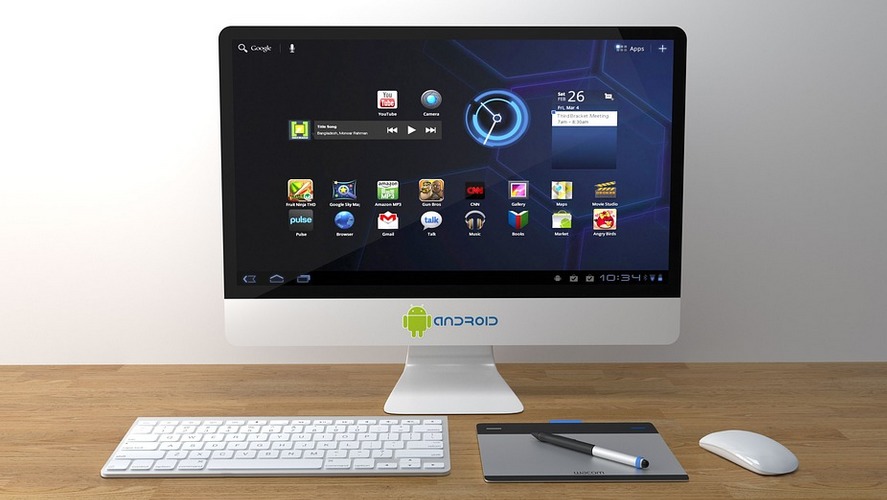
So, how do we install the Android Emulator on our PCs? The steps are easy. Just go to the Nox Player website and click download the emulator. After downloading the file, you can install the emulator. Now, you need to find the APK file of the games that you want to play. If you’re going to run the Drive Ahead game, you can log in to your Google account and search for the game. Install it, and now you can play the game on your PC.

Reasons Why You Should Use Nox Player as Your Emulator

Android PCBut why should we use Nox Player as our Android Emulator on our PCs? If you wonder about that question, there are many reasons why you should use Nox Player as your emulator. Nox Player is a free Android emulator that does not have any viruses or malware. It also has a user-friendly interface, essential for people new to playing games on their PC. The other reason why you should use Nox Player as your emulator is that it’s free and doesn’t cost anything at all!

What Games You Can Play Using Nox Player on Your PC

So, what games can we play using the Nox Player emulator on PC? Well, the answer is any games that you want. You can search for the game you wish to in Google Play inside the Nox Player. If you’re like millions of other users and me, Drive Ahead is always the best game to play. Drive Ahead is a car gladiator game in which you can drive a car to battle with other players to climb the ladder as a champion. There are also other games like Subway Surfers, Shadow Fight, and more! You can even play your favorite music apps on your PC with Nox Player.

So, don’t be left behind. Download this emulator now to get started playing Android games on your PC. The process is simple, so you don’t need to do a lot of research and study to find out how to install this emulator on your PC. Once you have it installed, you’ll love all of its features that will make your Android experience on PC more exciting.