

Mobile apps have become a vital part of our daily lives in today’s digital age. From ordering food to booking a taxi, we rely on these apps for various purposes. However, your app must stand out with millions of apps available on the app stores. This is where mobile app development comes into play: crafting an application that looks visually appealing, performs efficiently, and provides a great user experience. On the other hand, if you want to build apps without code, keep on reading. In this blog post, we will discuss some crucial aspects of mobile app development that can make or break your app’s success in the market.
User Experience

User experience (UX) is one of the most important aspects of mobile app development. It refers to how users interact with your app, including its design, usability, and functionality. A well-designed UX ensures that users can easily navigate through your app’s features without experiencing any glitches or frustration. To create a great user experience, you need to understand your target audience and their needs. You can identify pain points and design solutions by conducting research and analyzing user behavior patterns. This includes creating an intuitive user interface (UI), ensuring fast loading times, providing clear instructions on how to use the app’s features, and designing simple but effective navigation menus.
Security
Mobile app development is an exciting process, but it also comes with its own set of challenges. Security is a major aspect that developers must keep in mind during the development process. With the increasing number of cyber threats and data breaches, ensuring your mobile app is secure has become more important than ever. The first step towards securing your mobile app is to use strong encryption techniques to protect sensitive information from being accessed by unauthorized users. This includes encrypting user data such as login credentials, financial transactions, and other personal information. Another important aspect of security in mobile apps is implementing proper authentication measures to prevent unauthorized access. This can be achieved through two-factor authentication or biometric authentication like fingerprint scanning or facial recognition.
Easy Navigation
 Easy Navigation is a crucial aspect of mobile app development as it enhances user experience. A well-designed navigation system can help users easily find what they are looking for, making their interaction with the app seamless and effortless. To ensure easy navigation, developers need to consider various factors, such as the placement of menus, buttons, and icons. It’s important to avoid cluttering the interface with too many options that may confuse or overwhelm users. Instead, developers should aim for simplicity while providing all necessary features. Another key consideration for easy navigation is consistency. Users should be able to navigate through different sections of the app without relearning how to use it every time they open a new page or feature.
To sum up, mobile app development is a complex process that requires attention to detail and focus on several aspects. User experience is the most important of all, followed by security and easy navigation. A well-designed app can make or break a business and its reputation in the market. So if you are planning to develop your own app or hire a professional team of developers for it, ensure that these crucial aspects are given due consideration during every stage of development. Remember, creating an efficient and successful mobile application requires more than just coding skills – it needs creativity, insightfulness, and an understanding of user expectations.

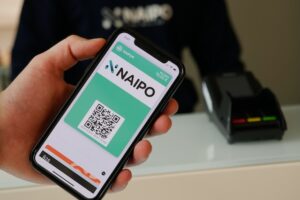 Gone are the days of digging through piles of paperwork or scrolling endlessly through websites to find the information we need. QR codes offer a swift and hassle-free solution for quick access to data. This is usually true for codes that are generated by any
  With contactless transactions, there’s no need to physically hand over money or touch any surfaces. Whether you’re buying groceries at the supermarket or paying for your morning coffee, simply scan the QR code displayed on the counter, and voila! The payment is processed seamlessly and securely. Not only do contactless transactions save time and effort, but they also prioritize safety by reducing physical interaction between customers and staff. This has become especially important in light of recent global events that have emphasized the importance of maintaining hygiene practices.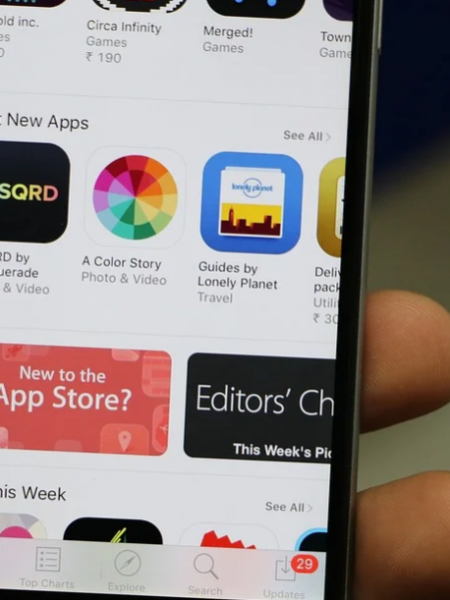
 Apple’s app shop for
  Google created Android Market as an online marketplace for Android-based devices, including tablets and phones. Android Market is pre-installed on all Android devices. It has more than 400,000 apps. You can browse, purchase and download many applications from Android Market. 67% of the apps in the Android Market are completely free, which is more than any other app store. This is great for users because they have a wide range of apps to choose from without paying anything. By the end of 2011, more than 10 billion apps had been downloaded from the Android Market worldwide. Android makes it easy to see which apps are most popular and which are trending. It also has some publisher selections.
 The emulator allows you to simulate, create and run Android applications without a physical device. The Android program also helps you create a new SD card image with a new AVD to copy the files. You can load the SD card image into the emulator at startup. The emulator supports Android configurations, which can set the Android system’s version to use individual applications, web pages, audio/video, data storage and retrieval, user information, and sending graphics changes and themes.