

Technology has come a long way in the past few years, and one of the areas that have seen the most change is home automation. If you’re like most people, you dream of living in a high-tech home. You can control your phone’s temperature, lights, and even the locks. Even you’ve heard a lot about the benefits of smart video doorbell and considered buying one. But what tech upgrades do you need to make your smart home a reality? Today, we will discuss some tech-savvy upgrades that will improve your smart home experience. Stay tuned for tips on how to make your home more efficient and convenient.
Smart Speaker
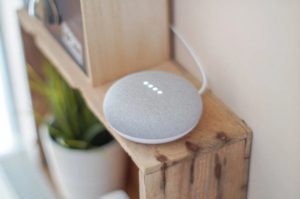 If you’re looking for a way to improve your smart home, consider investing in a smart speaker. Smart speakers are becoming increasingly popular, and for a good reason. They offer a convenient way to control your smart home devices. You can use voice commands to turn on the lights, adjust the thermostat, or play music. Plus, many smart speakers come with built-in virtual assistants that can answer your questions, set alarms, and more. Siri, Alexa, and Google Assistant are popular options for getting started.
Wireless Door Lock and Window Sensor
Technology has come a long way. Now, you can upgrade your home security with a wireless door lock and window sensor. This is a great way to improve your home security without spending too much money. The best part about these devices is that they’re easy to install. You can use them to monitor your doors and windows and receive alerts if someone breaks in. Most wireless door locks can detect your voice or fingerprint, and the window sensor can be triggered by movement.
Smart Plug
Another way to improve your smart home is to invest in a smart plug. Smart plugs are devices you can plug into your outlets to control your electronic devices. You can use them to turn on and off your lights, TVs, and other electronics. They’re also great for conserving energy. Many smart plugs come with built-in timers so you can schedule your devices to turn off automatically. With it, you can enjoy reduced energy bills and even say goodbye to your carbon footprint.
Smart Video Doorbell
 A smart video doorbell is a great way to improve your home security. These devices allow you to see and speak to visitors from anywhere in the world. You can also use them to monitor your front door and receive alerts if someone breaks in. Many smart video doorbells come with night vision, so you can see who’s at your door even in the dark. Plus, they’re easy to install and come with various features to choose from.
Now that you know some tech-savvy upgrades to improve your smart home, invest in them and enjoy the benefits. These tech upgrades will surely make a huge difference in your daily life. But keep in mind that you need to suit your lifestyle to the home gadget or tech features you need. Needless to say, investing in home gadgets that are not important for your lifestyle is just wasting money.
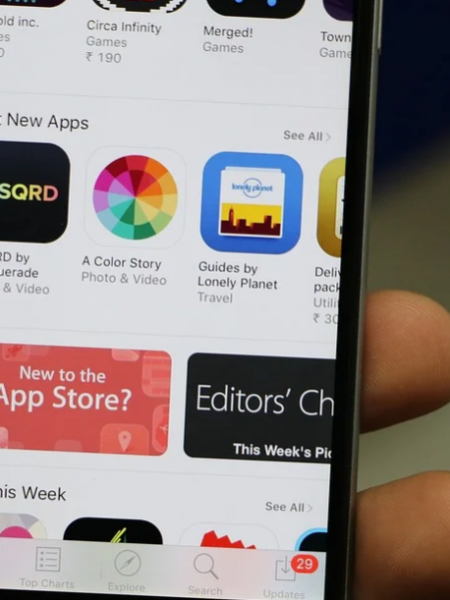
 Apple’s app shop for
  Google created Android Market as an online marketplace for Android-based devices, including tablets and phones. Android Market is pre-installed on all Android devices. It has more than 400,000 apps. You can browse, purchase and download many applications from Android Market. 67% of the apps in the Android Market are completely free, which is more than any other app store. This is great for users because they have a wide range of apps to choose from without paying anything. By the end of 2011, more than 10 billion apps had been downloaded from the Android Market worldwide. Android makes it easy to see which apps are most popular and which are trending. It also has some publisher selections.
 Smartphones and handhelds offer more convenience to their users.
 Football Manager, this simulator has won my heart for many years. Whether you want to help the poorest of clubs to Champions League glory or make your managerial debut in the FA Cup final, this game is hugely popular among soccer fans. The developers offer the ability to play on your tablet or smartphone rather than being confined to your PC/Mac. It’s not as detailed as the board game, but you can still trade in the transfer market and watch the little circles move from pixel to pixel and win the game.